


Latest News
Cytek® Biosciences Opens New Facility to Address Increasing Global Demand for Cutting-Edge Cell Analysis Solutions
Cytek® Biosciences Signs Agreement with CRG and UPF to Accelerate Scientific Discoveries
Cytek® Biosciences Introduces the Cytek Orion™ Reagent Cocktail Preparation System, the First-of-its-Kind Automated Cocktail Preparation Instrument
Cytek® Aurora™ CS System Wins BioTech Breakthrough Award for ‘Cell Sorting Product of the Year’
Product Features
Run More Fluorochromes Together
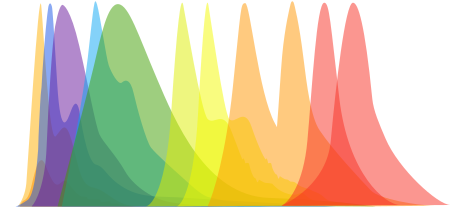
Conventional flow cytometers have difficulty distinguishing fluorochromes with highly overlapping peak emissions, severely limiting fluorochrome choice and multiplexing capability.
Using full spectrum flow cytometry, our systems detect the entire fluorochrome emission, allowing researchers to run panels of up to 40 colors and beyond without sacrificing data resolution.
Glean More Information from One Tube
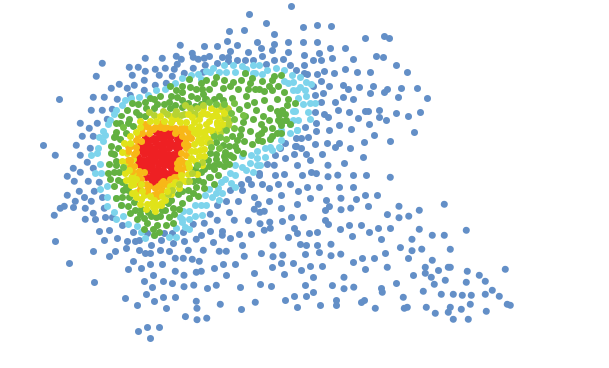
By making bigger panels possible, spectral flow cytometry provides researchers more information from one tube and reduces the amount of tubes needed in an assay.
This saves precious sample and reagent, reduces sample preparation and acquisition time, and reduces operating costs, allowing labs to run more efficiently.
Get Up and Running Faster
Acquiring more data per sample does not mean longer instrument or experiment setup times.
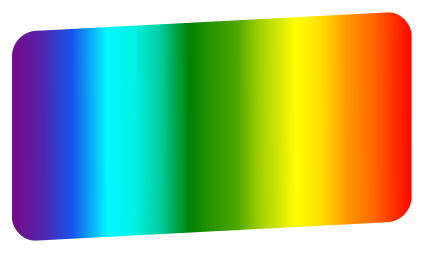
With Full Spectrum Profiling™, gone is the need to check and swap optical filters depending on the assay.
Accelerating Reagent Advances
Endless Possibilities for New Fluorochromes
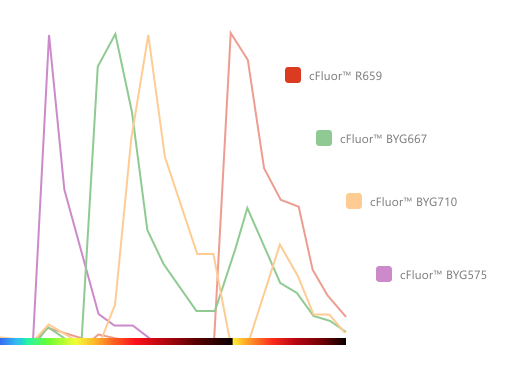
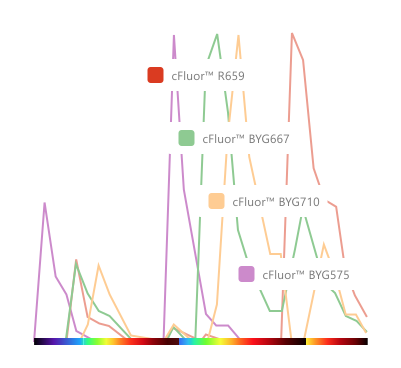
While Cytek’s full spectrum flow cytometry provides researchers unprecedented flexibility for panel design, it also provides new capabilities for evaluating fluorochromes and understanding their impacts on one another when used in combination.
No longer limited by the conventional peak emission bandpass filter paradigm, researchers can now visualize the full spectrum characteristics of each fluorochrome across each laser line and look for new spectrally unique reagents to integrate into continuously expanding panel designs.

cFluor® Reagents, Optimized for Spectral Cytometry
Cytek’s experience in designing highly multiparametric panels has led to a deeper understanding of how fluorochromes react together in increasingly complex fluorescent experiments. Using this expertise, Cytek developed and launched the new cFluor reagents, optimized for use in full spectrum panels.

Cytek Solutions
Powerful Tools and Expert Applications Support
Cytek has developed a variety of tools to help researchers develop panels while ensuring ease of use. For example, the Cytek Full Spectrum Viewer and novel Similarity™ and Complexity™ Indices provide quantitative feedback to help researchers make smarter fluorochrome choices in their multicolor applications.
Combining these tools with Cytek’s knowledgeable and experienced team of technical application specialists leads to more successful experiments with deeper scientific insights.
Software Partners
Cytek understands that software is important to analyzing the large datasets typically generated by the Aurora or any other flow cytometer. Therefore, we have partnered with a variety of innovative software leaders to develop streamlined workflows for Aurora and Northern Lights.
See the Partners section of our Who We Are page to learn more.
Cytek is a leading cell analysis solutions company on a mission to advance cancer and cell biology research. Our re-imagined flow cytometry instruments, related products and services focus on delivering deep immune cell profiling benefits to more scientists.
For Research Use Only. Not for use in diagnostic or therapeutic procedures.